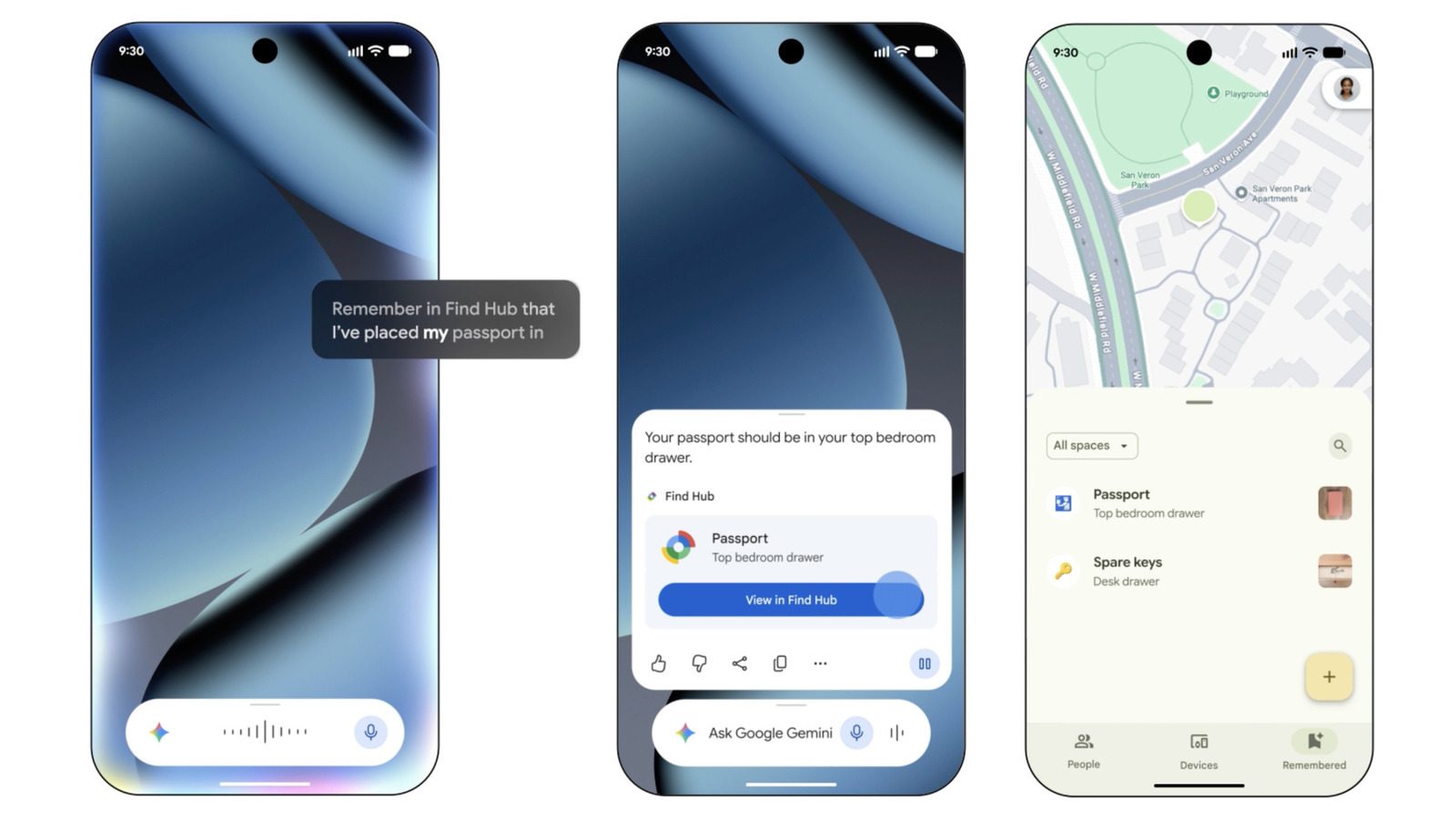
How Gemini and Find Hub can help you locate your important documents
Google's Find Hub does more than track phones and tags. Paired with Gemini, it records and recalls where you keep passports, birth certificates and other documents that are hard to tag.
Google's Find Hub is best known for tracking Android phones, Bluetooth tags and other devices. A feature that combines it with Gemini does something different: it records and recalls where you keep the belongings that cannot easily carry a tag, including birth certificates, passports and social security cards.
Engadget published a walkthrough on September 29, 2026, in which Mariella Moon explains how the combination works. The feature is not a substitute for live tracking; it is built around remembering. You record where an item is kept, and later you ask the system to tell you that location again.
Setting up Find Hub and Gemini
The first step is to make sure Find Hub is enabled. Install and set up the Find Hub app, or open Settings > Google > All services > Find Hub. Gemini then has to become the device's default assistant: open the Google app, tap the profile icon in the top right corner, and go to Gemini or Google Assistant > Digital assistants from Google, where you select Gemini as the default.
Recording where an item is kept
Once both parts are in place, you add a location by talking to Gemini. A command such as "Hey Google, remember in Find Hub that I put my passport in the vault" prompts the assistant to confirm that the location has been saved and to link to Find Hub from its interface.
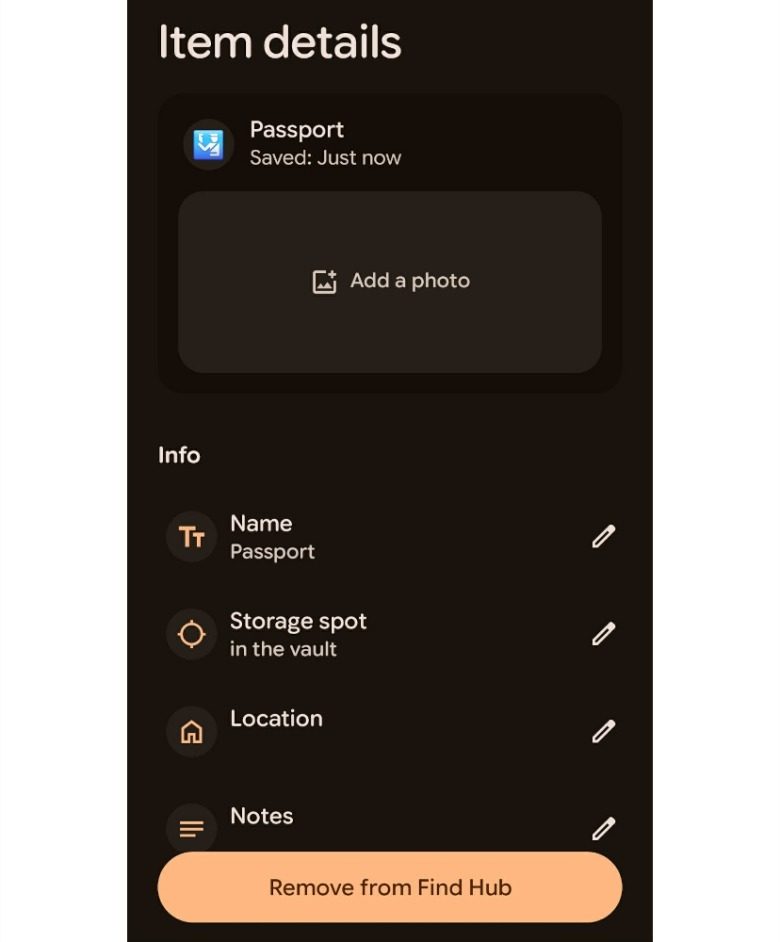
Tapping that link opens the item's details as stored in the hub. There you can attach a photo of the spot for easier recall, enter the exact address when you have several hiding places, such as multiple homes, PO boxes or bank safety deposit boxes, and add more information in a notes field. Items can also be added by hand in the Find Hub app: open the Remembered tab, tap the plus icon and choose Manual entry.
Asking Gemini where a document is
When you need to remember where something was put, ask the assistant. A question such as "Hey Google, where did I keep my passport?" returns the latest known location along with a link to Find Hub. The same details are available in the Find Hub app, where the Remembered tab lists every saved item; tapping one shows any uploaded image, its latest location and your notes.
What the feature does not do
Remembered entries do not replace constant tracking. They help only when a location was recorded in advance, and Google's guidance remains that a compatible tag is the best way to keep track of belongings you carry with you. For documents that stay in one place, the Gemini and Find Hub pairing removes the need for one.
SiTech — AI-powered web development
We build fast, modern websites and bring AI into real business workflows. Have a project or a question? We'd love to help.