Google Messages preps a UI shuffle: Gemini to the header, Search to the bottom
An APK teardown of the latest Google Messages beta shows the Gemini button moving into the header and Start chat sliding to the bottom center, with a new Search button beside it.
Google Messages is preparing a reshuffle of its home screen. In the latest beta build, messages.android_20260917_03_RC00.phone.openbeta_dynamic, Android Authority surfaced several interface changes that Google has already enabled behind the scenes — most of them aimed at making search more prominent inside the app.
What moves where
Today the Start chat floating action button sits in the bottom-right corner of the screen, the Gemini button rests above it, and Search is tucked into the top-right corner of the header. In the new layout, Gemini takes the header slot and replaces the Search icon, while Start chat moves from the bottom right to the bottom center. A Search button then joins it along the bottom edge, within easy reach of a thumb.
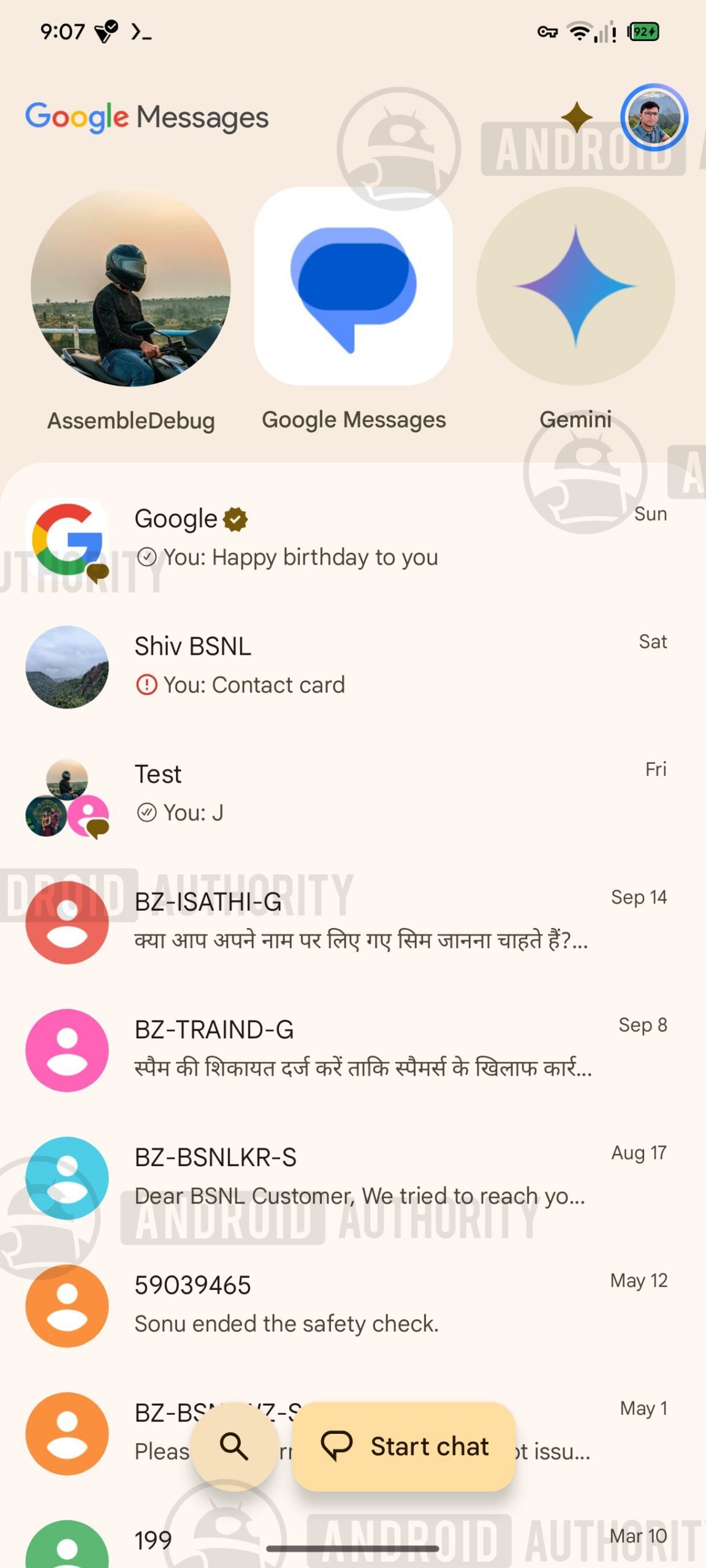
Both core actions — starting a conversation and finding one — stay in the lower half of the screen, where one-handed use is easiest.
Buttons that read the context
The more interesting part is how the two buttons behave. When you open Messages, Start chat appears expanded at the bottom. Once you begin scrolling through your conversations, it collapses and the Search button expands in its place. The app is reading user intent and surfacing the option you are most likely to need at that moment: browsing the inbox puts search under your thumb, while an idle screen offers a new chat.
A step toward the redesigned Search
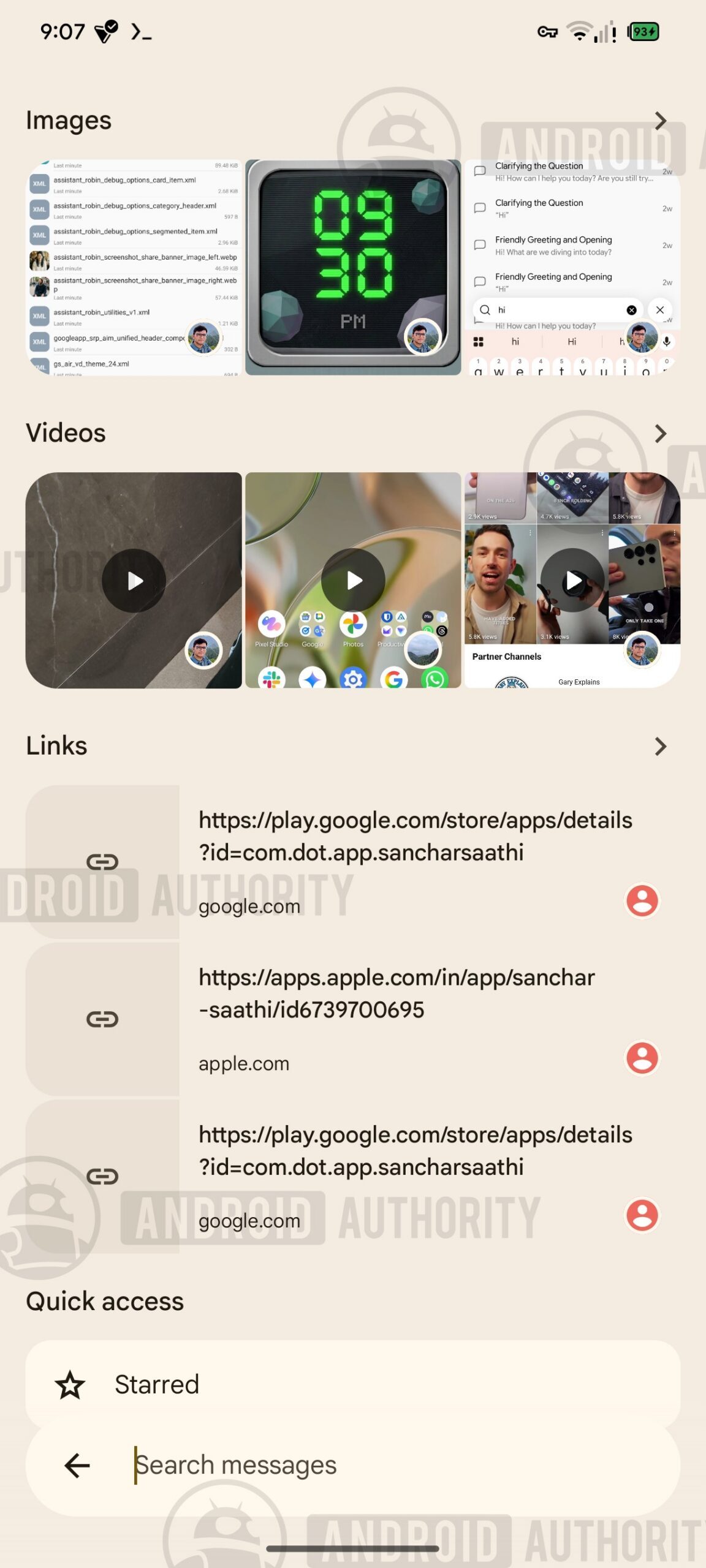
Moving Search to the bottom fits a larger overhaul reported in July, when Google was found working on a redesigned Search interface with the search bar at the bottom of the screen and larger previews for images, videos and links replacing some existing filters. A redesigned results page would separate chats from messages and give messages containing the search term bigger previews. In the newest build that experience looks more refined, and shifting the main Search button down suggests Google is readying the app's overall layout for it.
Pinned chats and the usual caveat
A redesign for pinned conversations is also in development, alongside work to reduce how many chats can be pinned. The new design gives pinned conversations larger contact icons and can show a preview when a new message arrives; it could eventually ship together with the changes above.
As with any teardown, these findings come from work-in-progress code and the features may never reach a public release.
SiTech — AI-powered web development
We build fast, modern websites and bring AI into real business workflows. Have a project or a question? We'd love to help.