
Hijacking the PS5's RTMP Stream: a Local DNS Reroute, Explained
A developer's write-up shows how he redirected his PlayStation 5's Twitch broadcast to his own Mac by controlling local DNS answers, then received the 1080p60 stream with nginx-rtmp and mpv.
In a September 28 write-up, developer Yash Garg explains how he made his PlayStation 5 broadcast to his own Mac instead of Twitch, to show games to friends on Discord without a capture card. The trick does not break the console: it controls what the home router answers when the PS5 looks up a streaming server.
Where the stream goes, and why
The PS5 broadcasts to Twitch and YouTube out of the box, both over RTMP, the Real-Time Messaging Protocol. The post notes that the console does not keep Twitch's IP address: at the start of each broadcast it resolves the server name through DNS. Whoever answers that query decides where the video goes.
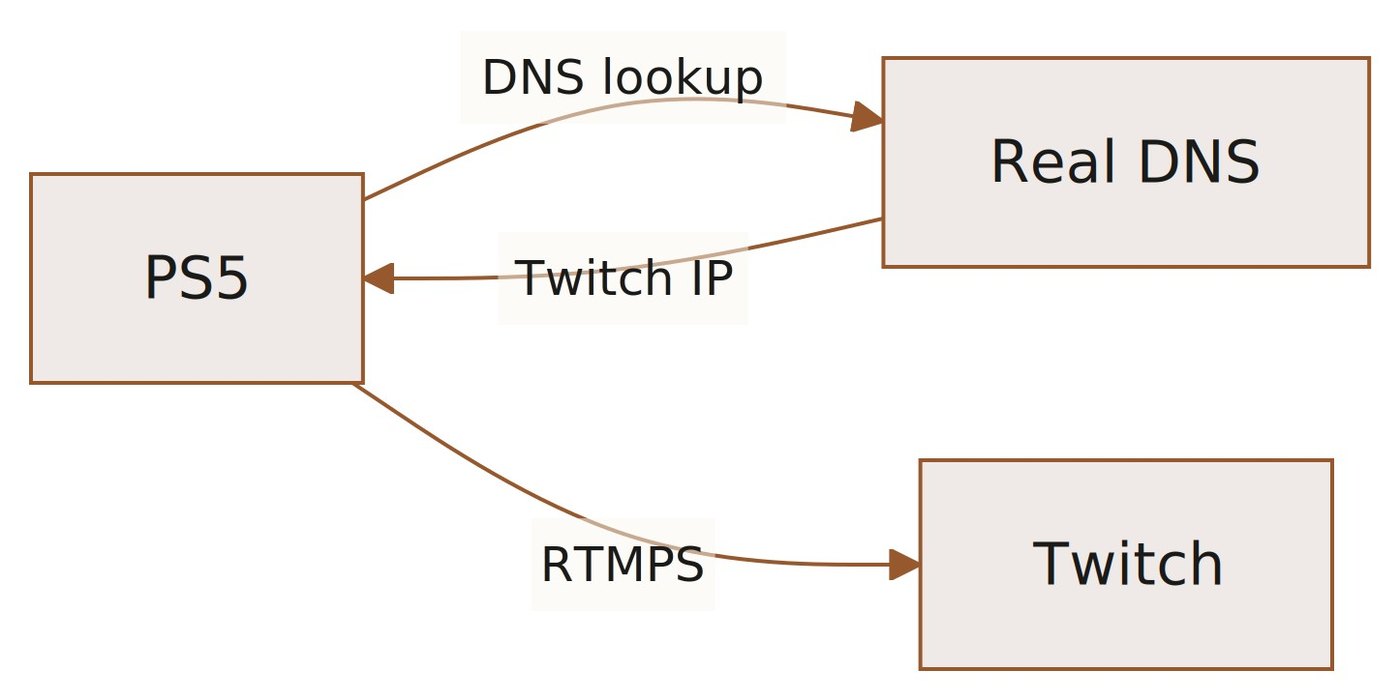
Two attempts that failed
The first idea was to redirect ingest.twitch.tv to the Mac. That hostname only answers a discovery question: which regional server to use. The real ingest needs RTMPS, RTMP inside TLS on port 443, and the PS5 validates the certificate: a self-signed one is refused and custom certificates cannot be installed.
YouTube was the fallback. Its ingest accepts plain RTMP on port 1935, so no certificate was needed and the stream reached the Mac. But the console also polls YouTube's API to confirm the broadcast is live; YouTube had received nothing, so the check failed and broadcasting stopped after about 60 seconds.
The hostname that solved it
DNS logs during a broadcast showed the PS5 resolving ingest.global-contribute.live-video.net, which leads to the regional server aps30.contribute.live-video.net. Redirecting the parent domain contribute.live-video.net covers all subdomains, so the stream reaches the Mac with no TLS problem. The author runs dnsmasq on the Mac and returns its LAN address for those names; on a GL.iNet router with OpenWrt he attached DHCP option 6 to the console's lease.
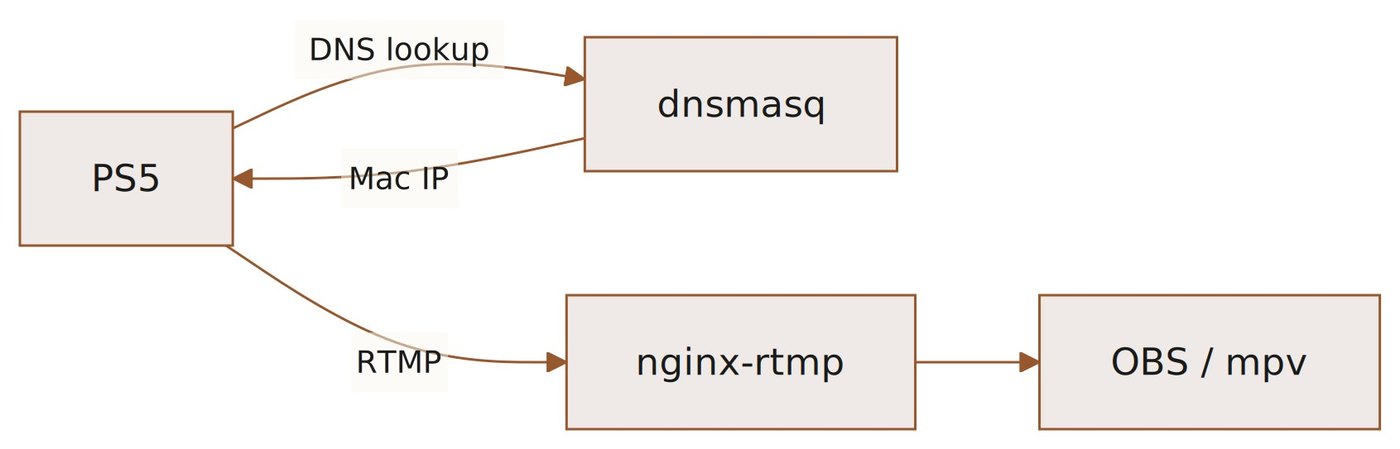
nginx-rtmp listens on port 1935, and a callback notifies a small menu bar app when a broadcast begins. The console sends 1080p60 video in H.264 with stereo AAC audio. From there the stream can be re-broadcast through OBS, recorded, or played with mpv; the author uses its low-latency profile to keep the delay under a second while sharing the window to Discord.
What it actually shows
This is not a flaw that lets a stranger capture someone else's gameplay from the internet: the write-up mentions no CVE, no vendor response and no remote attack path. The redirect needs control of the local network and its DNS server. The lesson is that DNS is the only pointer the console has to where the video goes.
SiTech — AI-powered web development
We build fast, modern websites and bring AI into real business workflows. Have a project or a question? We'd love to help.