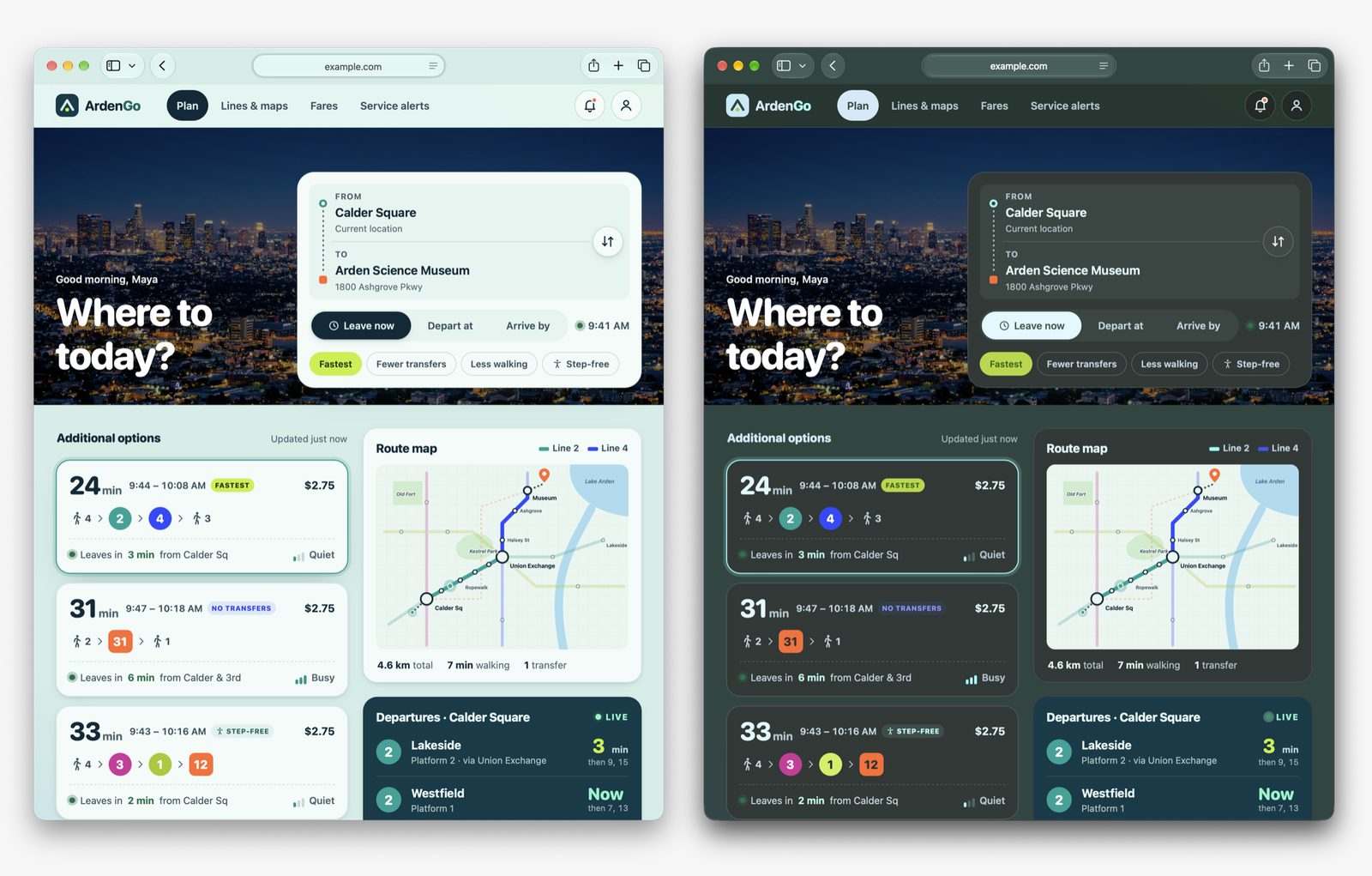
Safari 27.3 Beta Adds Adaptive Dark Mode for Light Websites
WebKit announced Adaptive Dark Mode in Safari 27.3 beta, which adapts light websites for users in dark mode while leaving sites that declare dark support unchanged.
WebKit has announced Adaptive Dark Mode in Safari 27.3 beta. Safari 12.1 became the first browser to support dark mode on the web in spring 2019, but not every website has a dark version. Adaptive Dark Mode adapts light websites for users in dark mode while leaving sites that declare dark support unchanged.
How Adaptive Dark Mode works
Almost 40% of web page loads come from users in dark mode, while only 10% of page loads support it. Adaptive Dark Mode is designed to close that gap. It first checks whether a site signals dark mode support through the meta color-scheme tag with content light dark in HTML or color-scheme: light dark in CSS. If it does, the feature does not change the page. For other sites, Safari analyzes colors and estimates whether the page is predominantly light or dark. A page with a generally dark background and light text is unchanged, while a light page is adapted to dark.
The feature transforms color by inverting luminosity while preserving hue. It aims for sufficient text contrast as defined by the WCAG 4.5:1 contrast ratio. Light CSS gradients are transformed, and Safari makes judgments so buttons, text over images, and hover menus remain usable. Most images are left unchanged, but SVG images may have colors transformed when needed, and bitmap images may have simple black and white logos inverted after histogram analysis. Effects such as masks and mix-blend-mode can be turned off in some cases, while canvas content is left unchanged.
Advice for websites
WebKit says pages generally work well if they follow modern web development practices. Suggested updates include swapping bitmap logos and icons for SVG, using solid or gradient CSS colors instead of tiled background images, replacing image sprites with modern CSS, and creating content images with transparent backgrounds. Adding padding to containers can prevent crowding. For a specific dark experience on part of a page, developers can apply color-scheme: light dark to an element and add their own dark styles.
For full control, sites can declare full dark mode support with widely available web technologies, including the color-scheme meta tag, :root { color-scheme: light dark }, prefers-color-scheme media queries, picture source elements, and light-dark(). Newer CSS functions such as color-mix() and contrast-color(), plus CSS variable techniques, provide more options. WebKit advises declaring support in HTML or CSS rather than injecting it later with JavaScript.
Sites that should remain light only can use color-scheme: light only, either through the HTML meta tag or CSS. The only keyword is not supported in Safari 27.3 beta 1. WebKit says to check back as the feature evolves through the beta process.
Privacy and feedback
WebKit says Safari prevents websites from detecting when Adaptive Dark Mode has been applied, because detecting it would add fingerprintable information. JavaScript that queries CSS colors receives the original authored colors, and images drawn into canvas render in their original form. Developers with questions can contact [email protected], and users who find a site that does not work well can file a report with Feedback Assistant.
Sources: webkit.org
SiTech — AI-powered web development
We build fast, modern websites and bring AI into real business workflows. Have a project or a question? We'd love to help.