Self-Hosting Behind CGNAT: A VPS Bridge and a WireGuard Tunnel
Carrier-grade NAT made home port forwarding useless, so one self-hoster routes everything through a cheap VPS in a French data center over a WireGuard tunnel — at the cost of 39 ms of added RTT.
Opening a port on the home router and pointing a dynamic DNS record at the public address used to be enough to host services from home. The shortage of IPv4 addresses changed that: carriers now share one public address across whole neighbourhoods and route requests through an extra NAT layer inside their own network — carrier-grade NAT, or CGNAT. The router's address stays private and is translated on the way out, so the public address belongs to the carrier and port forwarding no longer works.
In a blog post, David Álvarez Rosa describes how he keeps self-hosting anyway: his services run on a mid-range machine in his mother's basement in northern Spain and reach the Internet through a cheap VPS that acts as a bridge in a French data center.
A bridge, not a hosting provider
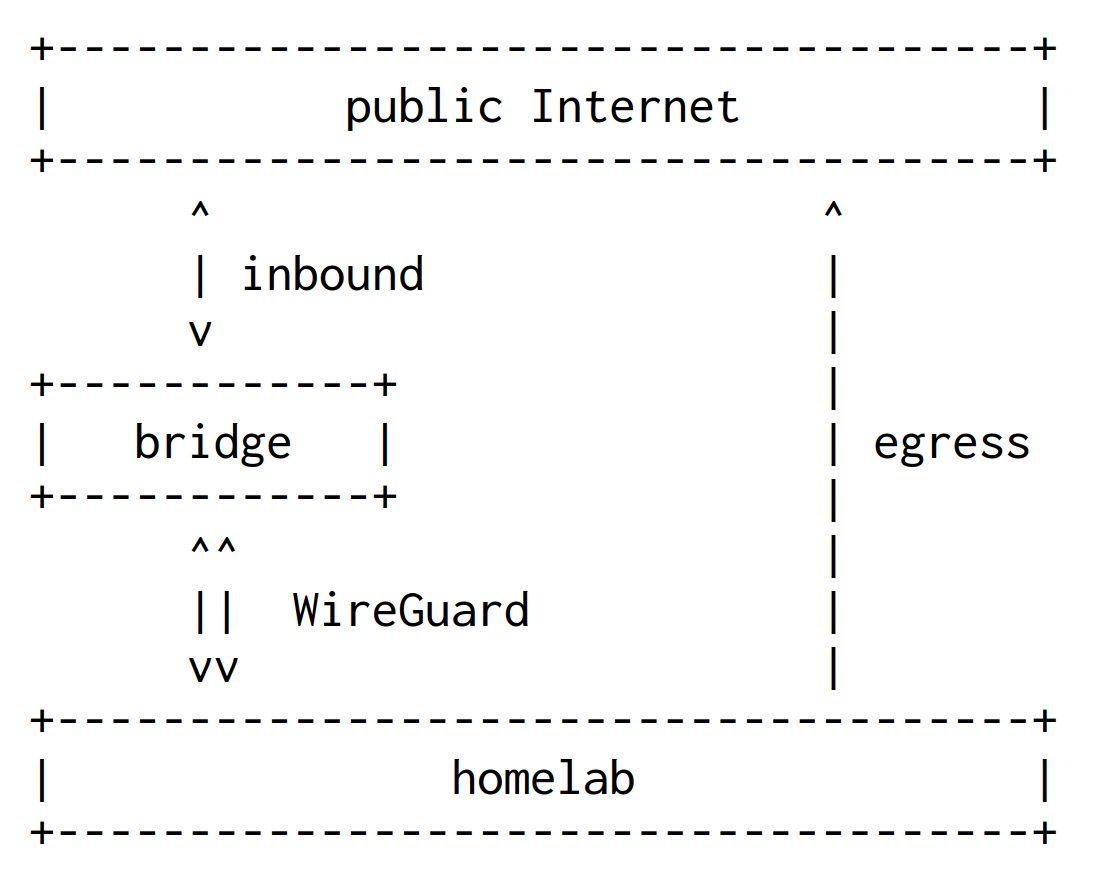
The link between the two machines is a bidirectional WireGuard tunnel that forwards every packet on every port from the bridge to the home machine and back. The key advantage is that the tunnel is initiated by the home machine, so no static dedicated IP at home is required. Buying a static address from a Spanish carrier is a valid alternative at around 20 euros a month; the penalty for the bridge is 39 ms of added RTT.
Configuration: DNAT, a separate routing table and real client IPs
On the bridge, the wg0 interface has the address 10.0.0.1/24 and listens on port 51820 with a single peer, 10.0.0.2/32. A PostUp directive installs NAT and forwarding rules at kernel level through iptables, while PostDown removes them when the tunnel goes down. The first two rules exclude port 2222 for SSH and port 51820 for the tunnel itself; the rest forward all traffic on all ports to the home machine. The destination address is rewritten but the source is not, so the home machine still sees the real client IPs.
On the home side, wg0 uses 10.0.0.2/24 with Table = off; PostUp adds a default route through the tunnel in routing table 200 and an ip rule for traffic coming from 10.0.0.2. Replies therefore travel back through the bridge, while the home machine's own traffic stays on the home router. From then on, SSH to ssh.alvarezrosa.com on port 22 lands on the home machine, and port 2222 on the bridge. AllowedIPs 0.0.0.0/0 and PersistentKeepalive 25 keep the tunnel alive.
What can fail
Three components can break. A cron job on the home machine checks whether SSH still responds and reboots the box if it does not. If the bridge fails, the author recommends a backup entry point such as a Cloudflare tunnel or Tailscale pointing directly at the home machine. A short tunnel drop re-handshakes on its own, and longer outages fall into the two previous cases.
SiTech — AI-powered web development
We build fast, modern websites and bring AI into real business workflows. Have a project or a question? We'd love to help.