Adobe's AI experiments let you walk around in photos and interview your characters
Adobe is showcasing experimental AI tools at Max that can turn images into navigable 3D scenes, shape AI characters through conversation, and copy edits across people or objects.
Adobe is showing experimental AI tools at its annual Max conference that can transform images into explorable 3D scenes, design AI characters by talking to them, and copy edits from one subject to others. The company describes these 'sneaks' as tech previews that might eventually become features in Creative Cloud apps or the Firefly platform. Almost all of the projects are built around Adobe's generative AI work, and AI tools now play a central role in the company's growth strategy.
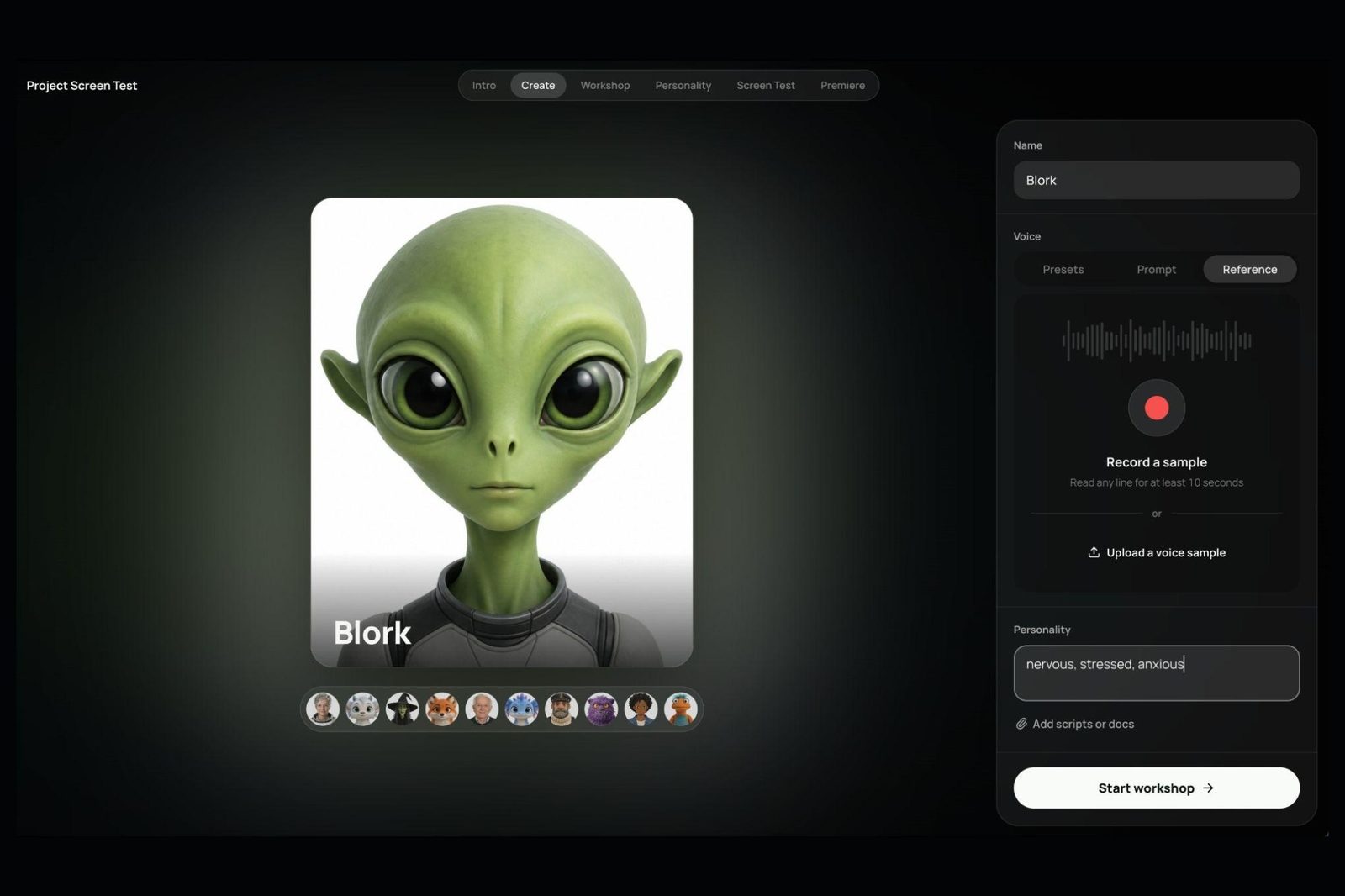
Project Screen Test
Project Screen Test is designed to make AI-generated characters easier to develop and use for video content. Instead of only describing how a character should sound and behave in text prompts, users can talk to the character and direct it in an audition-like environment. You describe base personality traits, such as 'anxious, shy, awkward,' choose or upload a voice, and expand the persona by conversing as if on FaceTime, outlining backstory, temperament, goals, flaws, fears, and movement quirks. The tool then generates animated screen tests from a described scenario. It is currently a standalone creative exercise, and it is unclear how or whether it could fit into Adobe's existing AI video tools. The Verge's reviewer found the results offered a more identifiable and consistent personality than many soulless animated AI characters, while noting that AI video generation allows far less creative control than traditional animation.
Project Sight Span and Project Sound Bender
Project Sight Span turns a flat image into a navigable 3D environment, generating objects and backgrounds outside the original frame. It works with photos, paintings, and illustrations, preserves and replicates artistic styles, and keeps repositioned tattoos and facial features recognizable. The 3D view is pixelated and ill-defined until an angle is selected. Adobe compares it to Apple's Spatial Reframing feature on steroids, allowing more aggressive repositioning and a changed shooting point, though it feels less like a photo afterward. Project Sound Bender mixes audio by letting users describe a desired sound in a text prompt, such as 'bubbling sci-fi cauldron noises.' It generates sound effects, syncs them to a video, and provides a square sound canvas. Each corner automatically assigns an AI-generated sound, such as dense gurgling with popping bubbles, rumbling boiling rocks, pitched bloops, or crackling electric fire, which users can blend or customize.
Project Rinse Repeat and what comes next
Project Rinse Repeat copies edits and applies them to other objects or people in the same photo, such as adapting acne or blemish touchups or adding shadows to products of different shapes. Built around Photoshop, the copied edits remain fully editable because the tool recreates them with native Photoshop tools. These sneaks are tech previews that might become Creative Cloud or Firefly features; there is no guarantee, but with AI now central to Adobe's growth strategy, The Verge judges that at least some of the experiments will likely launch. Gautham Mysore, senior principal Adobe research scientist, told The Verge that more intuitive interactions also give experienced creatives more precise control, citing Sound Bender and Sight Span.
Sources: The Verge
SiTech — AI-powered web development
We build fast, modern websites and bring AI into real business workflows. Have a project or a question? We'd love to help.