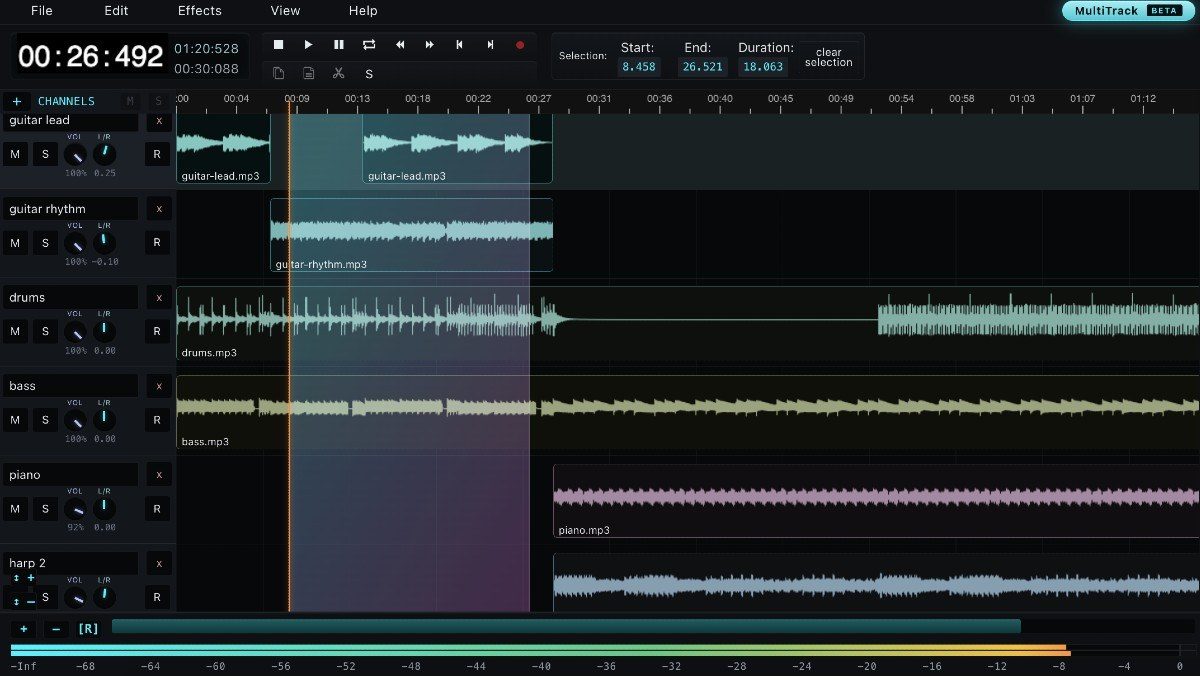
AudioMass: a free, open-source multitrack audio editor for the browser
AudioMass is a free, open-source audio and waveform editor that runs entirely in the browser with no backend and no plugins. Its multitrack mode, still in beta, layers several tracks and bounces them down to a single file.
AudioMass is a free, open-source audio and waveform editor that runs entirely in the browser — no backend, no plugins and no framework dependencies. It is written in plain JavaScript and weighs under 100 KB compressed. Opening the site with the URL parameter multitrack=1 loads a multitrack mode, still marked beta, that turns the single-file editor into a small mixing desk.
Multitrack mixing
In multitrack mode, audio files are dropped onto separate tracks and clips can be dragged around the timeline. Overlapping clips crossfade, recording can be armed on individual channels, and the finished arrangement can be bounced down to a single file. Each channel carries mute, solo, volume, pan, record-arm and delete controls next to a mixer view, and the toolbar exposes tempo tools, beat markers and snap-to-beat.
Editing and effects
The editor is built around fast region editing: select part of the waveform and cut, copy, paste, trim, silence, reverse, invert or process only that section, with zero-crossing selection to avoid rough edit points. The effects list covers gain, fade in and fade out, compressor, normalization, reverb, delay, distortion, pitch shift and graph-based pitch or speed profiles, plus paragraphic EQ, 10- and 20-band graphic EQ, hard limiter, voice noise reduction, playback-rate changes and silence removal. Repair tools handle clicks and hum, and effects can be previewed before they are applied to the selection or to the whole file.
Workflow and offline use
Audio is loaded from the computer, from a URL or from the bundled sample files, and recording starts with the R key. Named markers can be dropped on the waveform, moved, renamed and jumped between with the bracket keys, while holding Shift turns the space between two markers into a selection. AudioMass detects a rough tempo, draws metronome beat bars and snaps edits to those beats. Edits sit on an undo stack, exports go to MP3, drafts can be saved locally, and the tool keeps working offline after it has been loaded once — the interface offers a dedicated option to store the offline version.
Open source and self-hosting
The project lives on GitHub under the account pkalogiros, with roughly 2,980 stars, 336 forks and 199 commits; the author says he wrote it in June 2018 as a small personal tool for viewing waveforms. To run it locally, the repository ships a Go server (go run audiomass-server.go) and a Python alternative for machines without Go, both serving the editor at localhost:5055. Shortcuts mostly rely on Shift plus a key — Shift+Z for undo, Shift+C for copy, Shift+X for cut — with the space bar for playback.
SiTech — AI-powered web development
We build fast, modern websites and bring AI into real business workflows. Have a project or a question? We'd love to help.