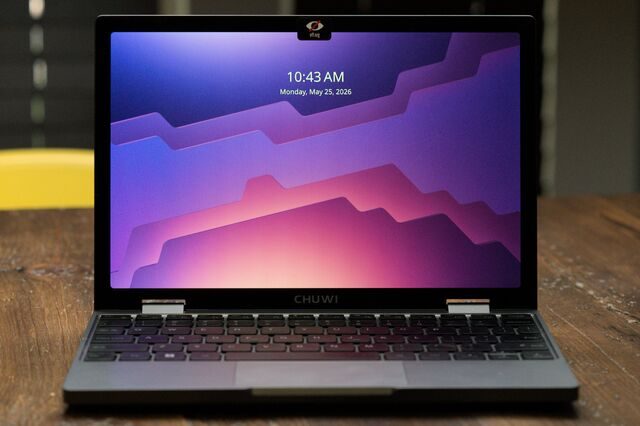
Chuwi Minibook X review: a 911-gram laptop that runs Linux for $350
Developer Tyler Cipriani has reviewed the Chuwi Minibook X, a 911-gram, 10.5-inch machine with an Intel N150 and 16 GB of RAM that costs $350 and runs Linux well — once you fix its sideways screen.
The netbook era ended more than a decade ago, but small, cheap and slightly odd laptops have not disappeared. Developer Tyler Cipriani has published a long review of the Chuwi Minibook X, a 10.5-inch x86 machine he bought as a knock-around laptop and calls "the netbook we deserve".
What you get for $350
The Minibook X is a sub-ultrabook with a 4-core, 4-thread Intel N150 Twin Lake processor running at up to 3.6 GHz, 16 GB of soldered LPDDR5-6400 memory and a 512 GB NVMe drive that can be replaced. The 10.51-inch IPS panel has a 2K resolution and a 16:10 aspect ratio, and the whole machine weighs 911 grams — just under a kilo, which the author treats as the threshold for a laptop worth carrying.
Ports are limited to two USB-C connectors, one of which supports PD charging. The bundled 12V/2A charger is the odd part: Cipriani threw it away rather than risk frying a 5V device, and found the laptop charges fine from a standard PD adapter, though the unusual supply also opens possibilities for off-grid setups.
Linux works — after a rotation fix
The claim that the Minibook runs Linux "boringly well" is almost true. Camera, microphone, speakers, touchscreen, sleep, hibernate, keyboard backlight, USB-C HDMI, Bluetooth and Wi-Fi 6 all work, the last two with Intel's non-free firmware. The catch is the display: the panel comes from a cheap tablet and is mounted sideways, so on first boot the screen is rotated 270 degrees clockwise.
Fixing that meant touching every software layer. Cipriani switched from systemd-boot to GRUB to carry unmerged rotation patches, passed a kernel parameter telling the Intel driver about the panel orientation, forced the i915 module into the initramfs, used xrandr on X11 and added a framebuffer console rotation option. He tried Debian first, then moved to NixOS.
Performance, heat and the verdict
Benchmarks match the price: Geekbench 6 reports 1,295 single-core and 3,332 multi-core, Wi-Fi 6 delivered 424 Mbps, and the machine idles at 3.8 W while drawing about 15 W under load. Battery life reached roughly six hours with a film looping in VLC, and after ten minutes of stress testing the hottest point of the chassis stayed below 32 °C.
The complaints are real — a 50 Hz screen, a keyboard that registers keystrokes only when you hit the exact centre of each key, a diving-board touchpad without physical buttons and underwhelming speakers — but the author weighs them against sub-$400 machines. His conclusion is that a cheap, expendable computer makes it safe to experiment with NixOS, the River Wayland compositor, KDE Plasma and Steam. "New ideas require old buildings," he quotes Jane Jacobs. The Minibook X, he writes, is an old building.
SiTech — AI-powered web development
We build fast, modern websites and bring AI into real business workflows. Have a project or a question? We'd love to help.